






Product Updates
What’s new in SundaySky: November 2026
This month’s product enhancements include advanced AI voice narration, personalized background music by audience, folders to keep your Amplify templates organized, and more.
This month:
Video personalization you can hear
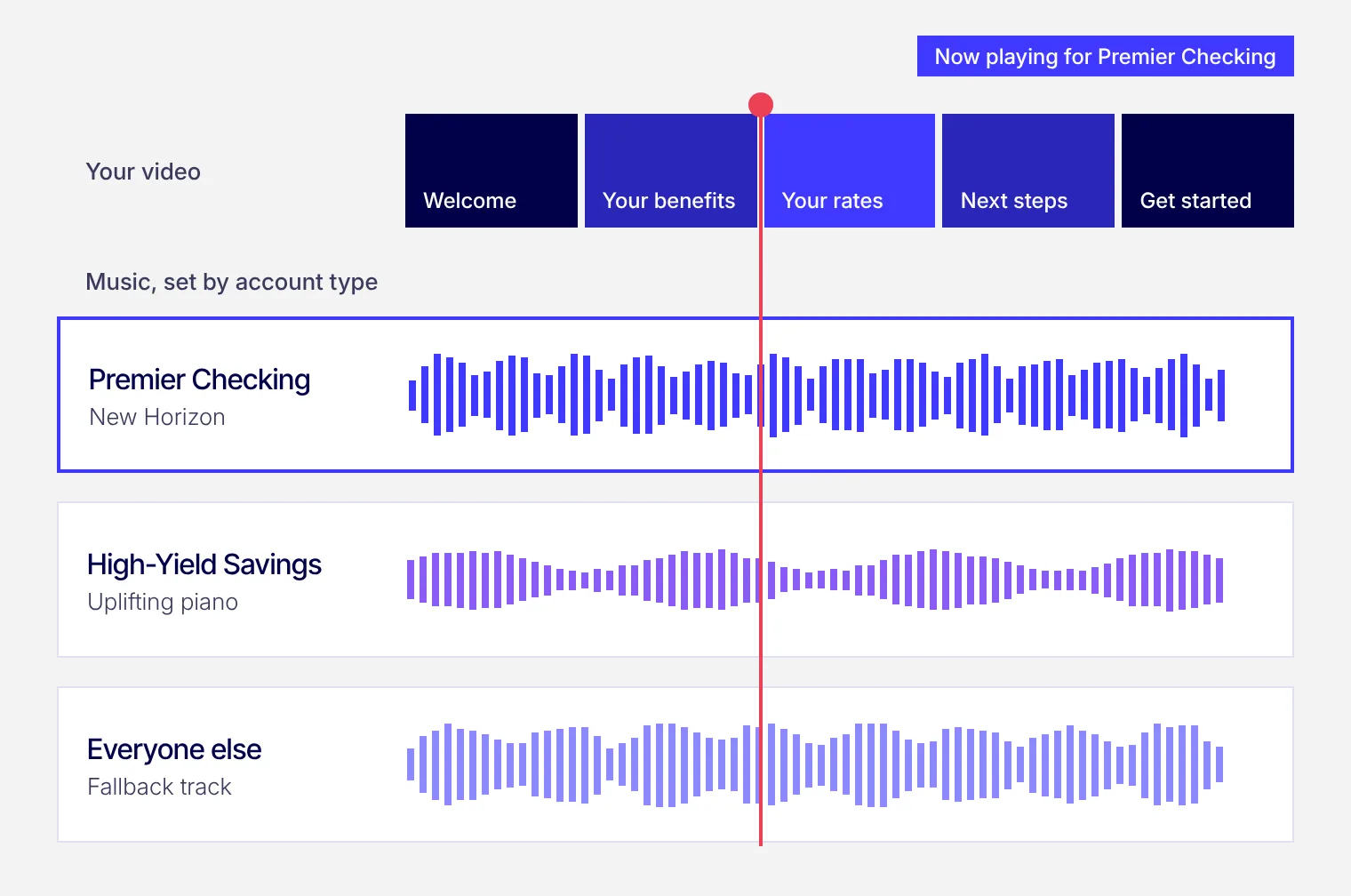
A soundtrack for every audience
Give each region its own track, or match the mood to each account type, without building a separate video for each.
- Choose from stock music or your own tracks
- Hear each audience’s version before you publish
- Music by Audience works in Amplify templates too, so every recipient hears their personalized track
More natural and expressive narration
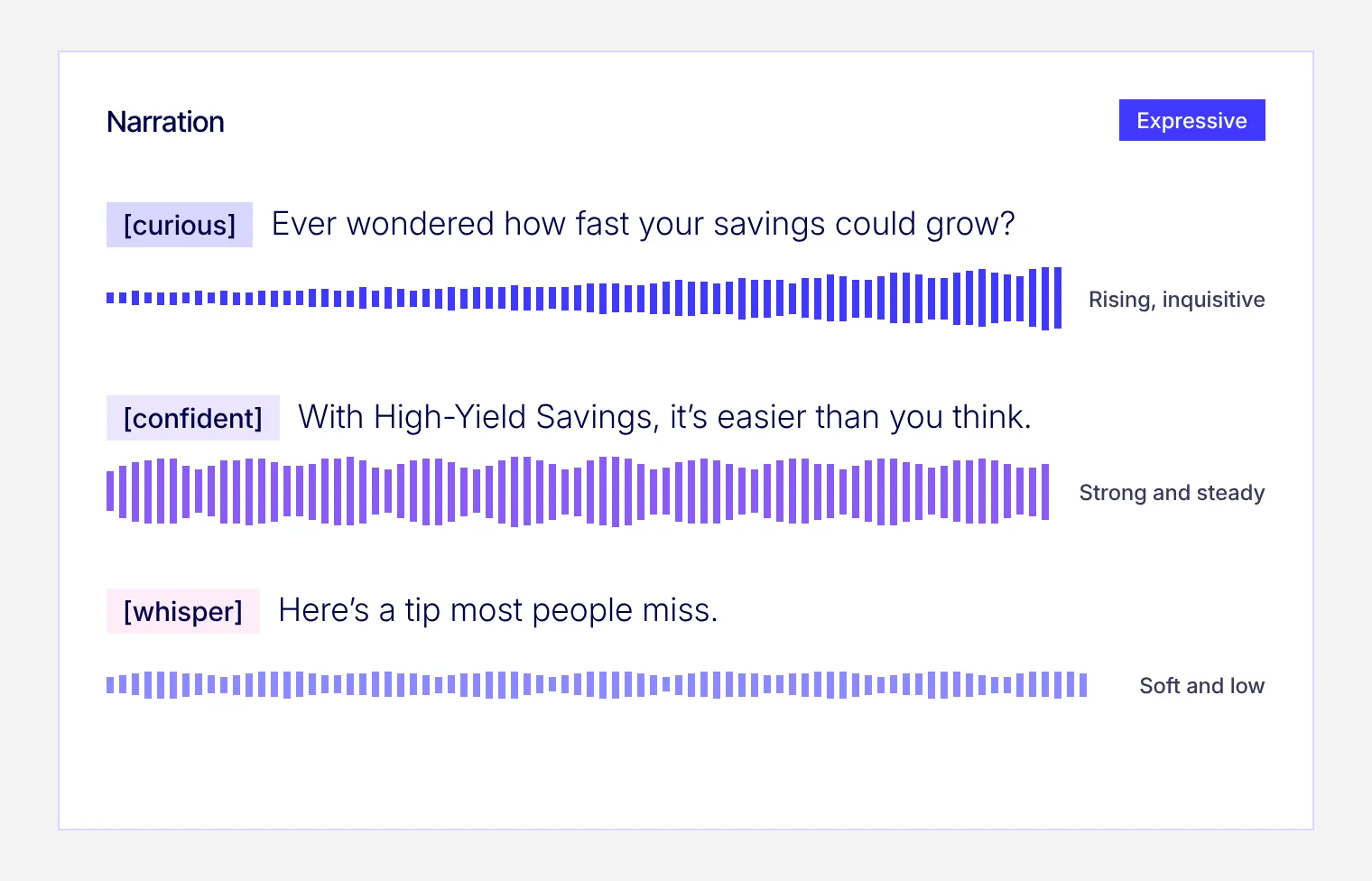
Our new Expressive voice engine makes AI narration sound better than ever, with smoother pacing and improved handling of names, numbers, and industry terms. You can even direct the performance: add a cue like [whisper] or [confident], and the voice delivers the line that way.
- Choose Expressive or Legacy for each video
- Direct the delivery with simple cues that are never read aloud
- Published videos stay exactly as they are until you choose to update them
Make every video more eye-catching
Turn any scene into an email-ready thumbnail
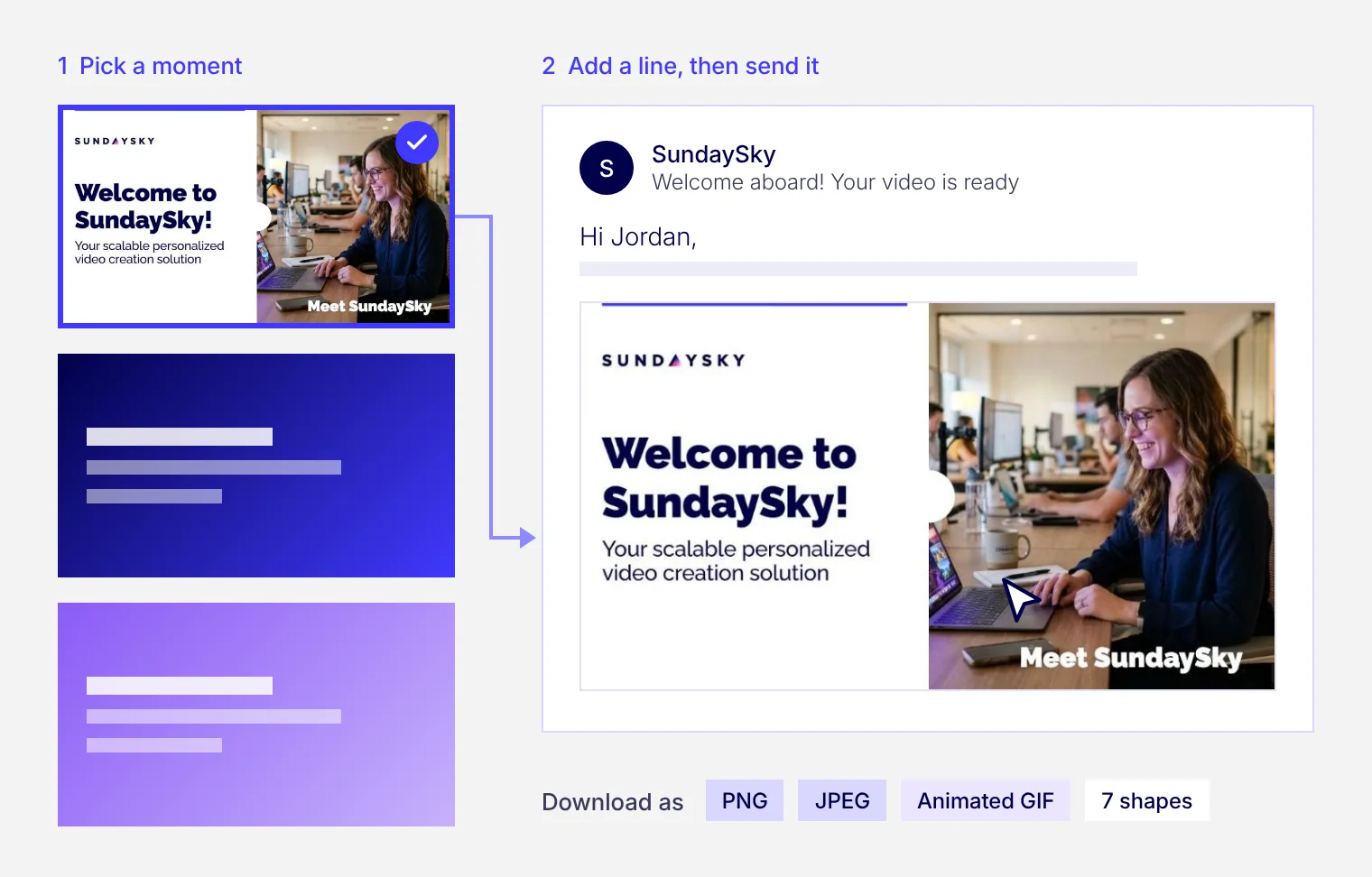
Give every video email a reason to click. Pick any moment from your video, add a line of text in your brand’s fonts and colors, and download a thumbnail with a play button, right from SundaySky.
- Create still images, or animated GIFs that show off several scenes
- Thumbnails are sized for every channel, from widescreen to vertical
- Animated thumbnails fall back to a still image in inboxes that don’t play GIFs
Embedded videos fill the space you give them
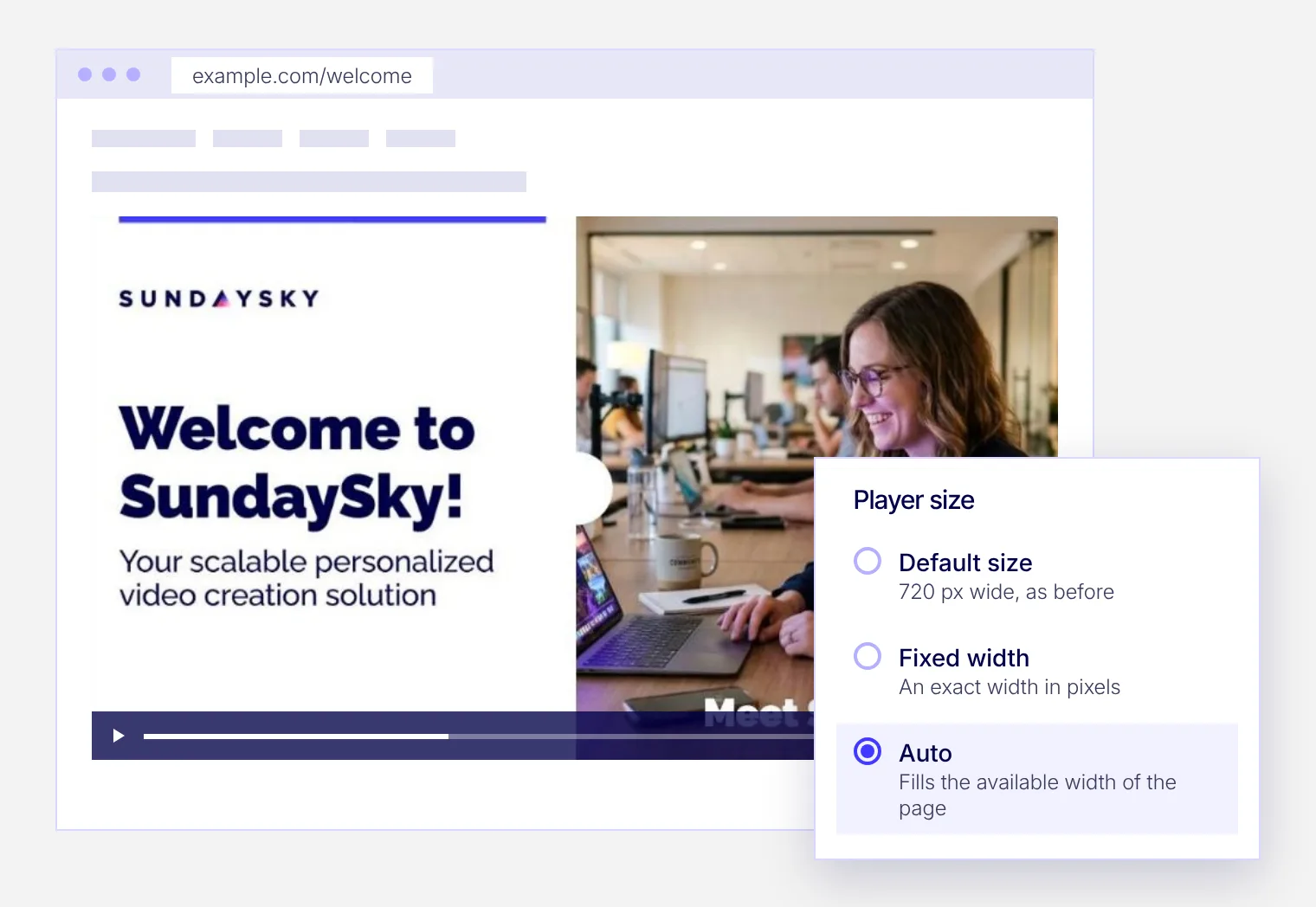
Embedded videos now stretch to fit full page widths instead of sitting in a small box. Choose the size you want when you copy your embed code, no extra code editing needed.
- Let the player fill the page, or set an exact width
- Works with iframe and JavaScript embeds
- Existing embeds stay as they are until you change them
Less searching more creating
Keep your Template Library organized with folders
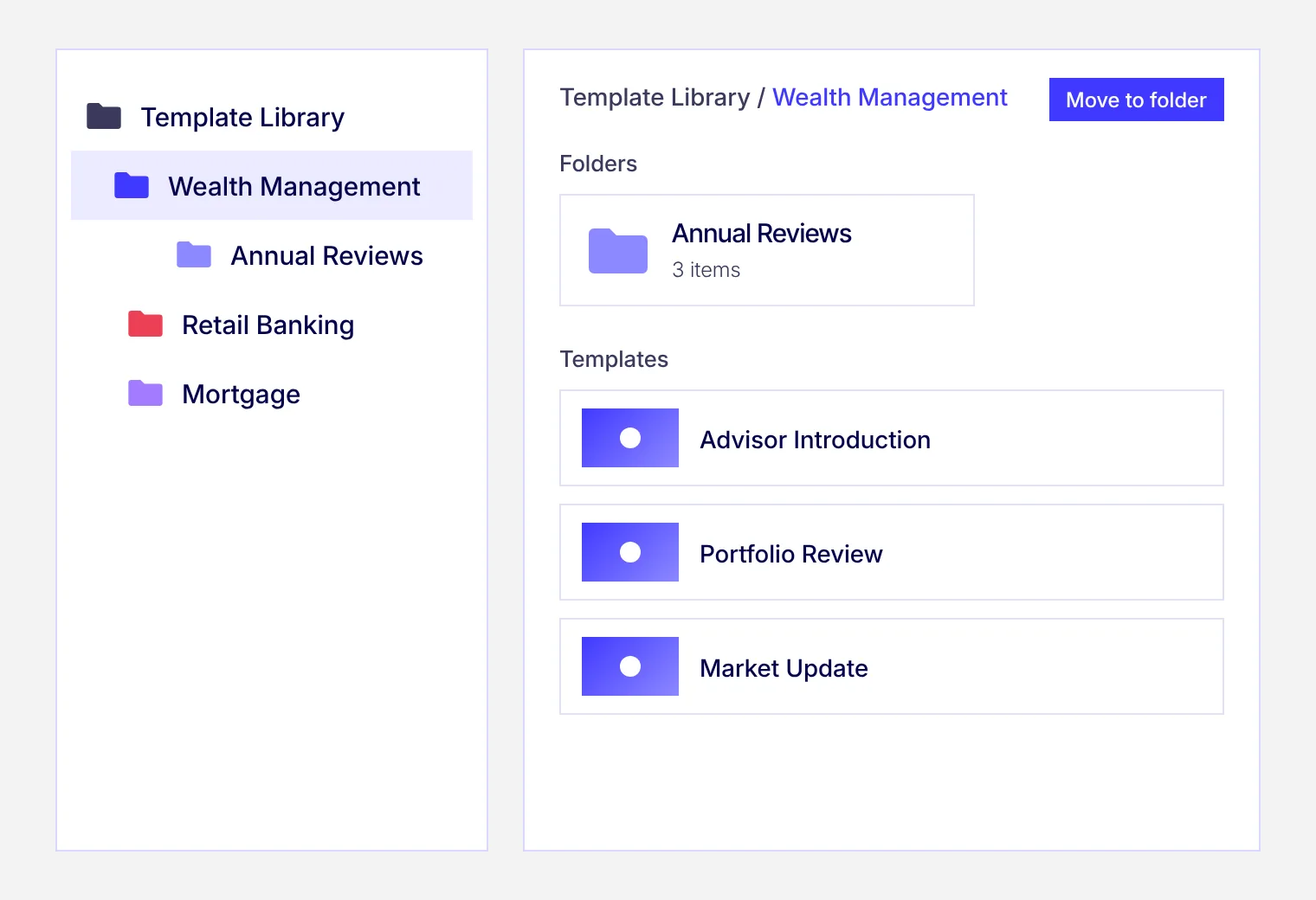
Sort templates into folders and subfolders, by business line, team, or language, so the right one is always easy to find. Move templates and whole folders as your library grows, without changing anything about the templates themselves.
- Create folders and subfolders in your Template Library
- Move templates and whole folders in a few clicks
- Delete a folder anytime; your templates are never deleted